The
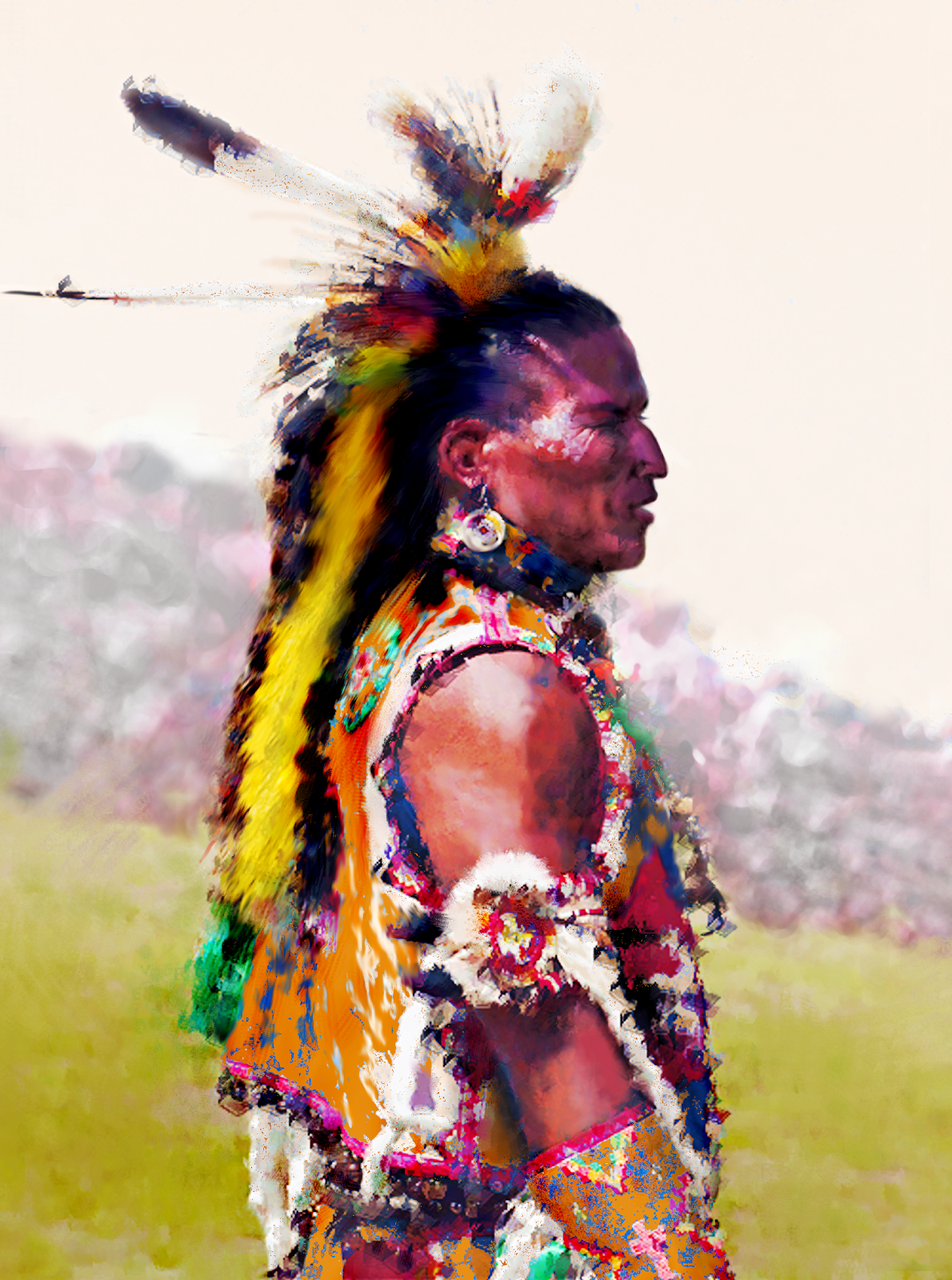
inspiration came from a painting by Howard Terpning called 'The Telling
of Legends'. I decided to make a different type of legend. Changed the
expression on the old man's face and gave the young man a Winchester
rifle. I might rename the painting to 'Peace pipes and Winchesters'. This is a work in progress (Feb 16 2015). If you click on one of the images and turn the scroll wheel of your mouse, you will see all images appear as in a slide show, allowing you to see the differences between the various stages more clearly. Oldest stage at the top, most recent at bottom.
February 16, 2015
The Telling of Legends
analog, digital, art, airbrush, webdesign
a different kind of legend,
art,
Corel PhotoPaint X6,
digital interpretation,
Howard Terpning,
Huion H610 Pro,
Native American,
painting,
peace pipe,
rifle,
The telling of legends,
Winchester
February 13, 2015
Digital prep for analog painting
I think I am going to shift from airbrushing to painting (in oil) again and from realistic to a more impressionistic style - something somewhere in between the two. I have been fiddling around in order to paint a more vivid and extended palette in software which I find an excellent way to determine the final method of painting in real life with real paint.
An example you see below. I found an image of a beautiful painting by Harley Brown, Called Bitterroot Chief. Though I loved the image composition and palette, I decided to change some facial features and expression. Below you see the original.
![]() |
| Original painting by Harley Brown |
I changed the eyebrows - lowered them - and eyelids, as well as the shape of the eyes. Also slightly altered the nose and did some work on the mouth. Native Americans have a number of specific facial features that must be reflected in paintings to keep them 'authentic'. I think I am almost done tinkering in the digital realm and may soon pick up the brush and paints to make a portrait on canvas.
![]() |
| (almost) final digital rendering before analog (oil) painting |
analog, digital, art, airbrush, webdesign
airbrush,
analog,
art,
Bitterroot Chief,
composition,
digital,
Harley Brown,
Native American,
oil,
painting,
palette,
portrait,
test
February 10, 2015
Blood Man
analog, digital, art, airbrush, webdesign
Blood Man,
Corel PhotoPaint,
digital interpretation,
Howard Terpning,
Huion H610 Pro
February 4, 2015
Native American reference image material
From image to painting is often a strange path. After having had enough of committing art as a type of crime - in the sense that a lack of certain skills is ignored applying what has actually been mastered to create some kind of form that the artist prefers to see as art, while the rest of the world may find that a dubious opinion. It means that a different route has to be taken to arrive at the final work. That is, if it is acknowledged that this is a necessity, required to be taken seriously as an artist. Art of course is a subjective matter, but I found it was time for a change. Not to radical perhaps, but as an addition to acquired skills. Here you have the result.
![]() |
| Reference image |
I try to look for material that isn't used by many other artists, resulting in artwork that is common. Finding good Native American reference images is rather difficult. Most photographic material is shot by non-professionals often resulting in imagery that lacks good reference material quality. But sometimes I run into images that have potential in spite of unfortunate properties. The above image is such a photograph. I leave criticism to the discretion of the reader.
![]() |
| Altered reference image |
Being conditioned as hell, I changed the subject's nasal features and cropped the image, since the background is not what I would want to have in a painting. There are a number of other properties that I didn't like, but fortunately artists can leave them out or alter them as they see fit. Lately I have been enthralled by the painting style of Howard Terpning and was blown away by the possibilities of digital painting in general and the use of the Huion H610 Pro Graphic tablet in particular. I may try painting in oil at some point in the future, but currently that is a budgetary impossibility.
![]() |
| First digital doodles |
Corel PhotoPaint in combination with the Huion make it easy to change features I did not particularly appreciate in the photograph. I started in portrait orientation, but later tried landscape which is more common in painting and digital representation. I do not like the background and will probably change that in a later stage. Depending on the proper background I may find, it is possible that I will return to portrait orientation. This quality of digital art creation allows to try different things while creating.
![]() |
| Landscape trial |
I removed the tattoos on the upper arm, since I doubt if that was part of the original tradition. Changed some colors and changed the hair line. Stay tuned to see the various stages and end result.
Update Feb 4 2015
Changed eye and brow, made nose longer, upper lip thicker and chin less pronounced. Did some detailing on the dress and arm. I think I will make the portrait portrait oriented. Plains backgrounds in landscape orientation that fit flawlessly in the painting are difficult to find.
Update Feb 5 2015
Changed mouth and brow yet again. Altered nose curve slightly. Worked on texture of clothing (shadows). Thinking of removing entire background and replacing it by image that has hazed sepia tones. Still looking for images on the web.
Hint: Click on the image and a lightbox will open with all images of this page placed in chronological sequence. If you turn the scroll wheel of the mouse you will quickly flick from one image to the next or previous (depending on the direction in which the scroll wheel is turned). It allows to instantly see the differences between the stages.
Update Feb 4 2015
Changed eye and brow, made nose longer, upper lip thicker and chin less pronounced. Did some detailing on the dress and arm. I think I will make the portrait portrait oriented. Plains backgrounds in landscape orientation that fit flawlessly in the painting are difficult to find.
Update Feb 5 2015
Changed mouth and brow yet again. Altered nose curve slightly. Worked on texture of clothing (shadows). Thinking of removing entire background and replacing it by image that has hazed sepia tones. Still looking for images on the web.
Hint: Click on the image and a lightbox will open with all images of this page placed in chronological sequence. If you turn the scroll wheel of the mouse you will quickly flick from one image to the next or previous (depending on the direction in which the scroll wheel is turned). It allows to instantly see the differences between the stages.
analog, digital, art, airbrush, webdesign
Corel PhotoPaint,
digital image,
drawing tablet,
Graphic tablet,
Huion H610 Pro,
Native American
January 16, 2015
Huion H610 Pro Drawing Tablet
My wife and daughters gave me a Huion H610 Pro drawing tablet for my birthday, which opened up new worlds for me. Ridiculously high priced Wacom tablets are way above a common person's budget, but the Huion is an affordable, stunning device that has a large drawing area (10" x 6.25") and great functionality. Here you find an excellent and extensive review that clearly explains the Huion's capabilities - it made me opt for the Huion. I use the Huion in combination with Corel PhotoPaint, which might not be the ideal combination, but for the time being it works perfectly for me.
I run Corel X6 on Windows 8.1 on a 16GB RAM quadcore machine with an Nvidia GeForce 750Ti graphic card. Figuring out the best driver for the tablet was a trail and error process and I had the best results using version 7; higher versions didn't quite work well for me. In particular I had problems with the dual monitor configuration - my mouse pointer was confined to only one screen. Corel PhotoPaint automatically configures the pen - Quick Doodler lets you use the excellent pressure sensitivity of the Huion pen, 2048 levels, resulting in a 4000 lines per inch resolution. I have the cabled version, which works fine for me.
The advantage of digital painting over analog painting or airbrushing is that you have undo-functions and can work in layers. Changes to hue, contrast, lighting and transparency or effect filter can be made afterward (per layer). The Huion tablet gives the digital artist a feeling very close to analog painting and in addition provides a few extra possibilities.
I started testing the tablet and here are some of the first results:
![]() |
| Very first test after I figured out what driver works best |
![]() |
Attempt to make a cartoon portrait of Lionel Messi |
Below you see 5 stages of a digital double portrait painted from an original oil painting of Howard Terpning called "Proud Men". I used PhotoPaint's standard pen and Quick Doodle to set up the painting and then used the Smear-tool to blend and shape some of the strokes. Finally I used a small sized (small dib) with high transparency and the Sponge pattern to add fine detail, starting in Subtract mode and finishing off in Add mode.
As a final technique I used one that master painters from centuries ago already used: Glacis. This is applying highly transparent layers over one an other to give the image depth and saturated hues. It's comparable to spraying one or more clear lack layers over a custom painted object which immediately makes the image come alive. This technique also works in digital imaging. I duplicated the png image twice, gave the second layer a highly transparent Subtract filter and on top of that a highly transparent Add filter. Fiddled with the layers' transparency amount to prevent loss of detail.
analog, digital, art, airbrush, webdesign
10 x 6.25 inch drawing area,
Corel PhotoPaint X6,
drawing tablet,
Huion H610 Pro,
pressure sensitive pen
September 28, 2014
Pinegrow webdesign
Once and a while a new application emerges from the brain of a genius that blows all its predecessors away with an unprecedented ease. The best of the best do this on all major platforms - Windows, Mac and Linux. Pinegrow is such a program. Not only does it work faster than any program of the competition (take a peek at the listing), it is easier to use, more efficient, versatile (fit to create sites for browsers of the PC, Mac, tablet and smartphones) and considerably cheaper. Sounds too good to be true? Check out their site!
People like me, who occasionally develop websites, should really take time to see what Pinegrow can do. I suspect 99% of them will never bother to use any other application ever again. But also professionals can incorporate their routines and objects in Pinegrow's library and retrieve them with one or two clicks of the mouse. The program can be used by just dragging and dropping components and / or customizing any detail, because it is based on the increasingly abundant Bootstrap, which also makes your pages look good on any type of device. No other application on the market today allows to design this way.
It gets better still. If you run across a website you like, Pinegrow allows to open pages straight from the web after which you can customize them and use them yourself. This feature plus the fact that Bootstrap is continually evolving, makes Pinegrow an absolute must for anyone who is into designing websites. The best of all is that it costs under 50 dollars... Talk about mindblowing...
Update October 2 2014
Version 1.22 is issued now. Pinegrow already was bloody brilliant, but after updates like the Wordpress module, it has become even more usable.
Update April 22 2020
And what do you know, after all my enthusiasm about the program it corrupted my website beyond repair. Returned to using Mobirise that I gave a bad review years ago. But the software is a thing in motion in which buggy code is improved and features are added. Some updates are good, others are terrible. Mobirise apparently did a good job while Pinegrow took a turn for the worst.
Update Feb 2022
A few months ago I switched to Nicepage and never regretted it. No coding needed whatsoever, totally free positioning of objects, independent from the grid and numerous features that its competition lacks. Absolutely the top of the bill for beginners, advanced users and UX designers. Check out my blog entry about the awsome Nicepage program. Their developers update the program at an enormous pace, so it gets even better really fast. Nicepage offers total freedom of placing objects anywhere on the page without having to write a single line of code, among a shipload of other very attractive functions. This truly enables web 3.0 design with minimal effort and maximal result. Nicepage also offers a plugin that allows to integrate websites in Wordpress, which means designers become totally independent from the Wordpress functions and build beautiful websites of their own. Creative webdesigners that have little or no coding skills should most definitely check out the magnificent Nicepage program! If you want to get a proper idea of the possibilities and use of Nicepage, take a peek at this video: https://www.youtube.com/watch?v=8iHl--K4XPs The only disadvantage of Nicepage is that it is dead slow from time to time, but the abundance of features still makes it the best and most versatile website builder available. When the world is offered a ton of options without coding skills already, moving towards AGI that currently is under development will make things even easier still. AGI is said to make coding superfluous all together, meaning that you should be able to do many things, including coding, that required the ability to code just a short while ago. If you haven't yet tried this program, download the trial version and give it a go. You won't be sorry.
April 23, 2014
Yet Another Cleaner
One of the most useful tools I came across by chance was 'Yet Another Cleaner' that is a junk file cleaner, system optimizer, virus and malware removal tool in one. Its functionality includes removal of malicious and redundant registry entries, bogus icon links and application monitor.
analog, digital, art, airbrush, webdesign
anti-malware,
anti-virus,
junk-file remover,
just another cleaner,
system optimizer,
useful tool
April 6, 2014
THOROUGH airbrush cleaning
All airbrush artists are familiar with the contamination of their gun(s). Performance decreases as more waterborne paint residue builds up inside the airbrush. There are many airbrush cleaning fluids and tools, most of which don't work too well. Ultrasonic cleaners work well, but are quite expensive most of the time and require the airbrush to be soaked and treated inside the cleaner for a while. When artists are in a flow, they don't want to wait, but traditional cleaners do not do a particularly good job.
![]() |
| The stamp loupe I use. |
Subscribe to:
Posts (Atom)


